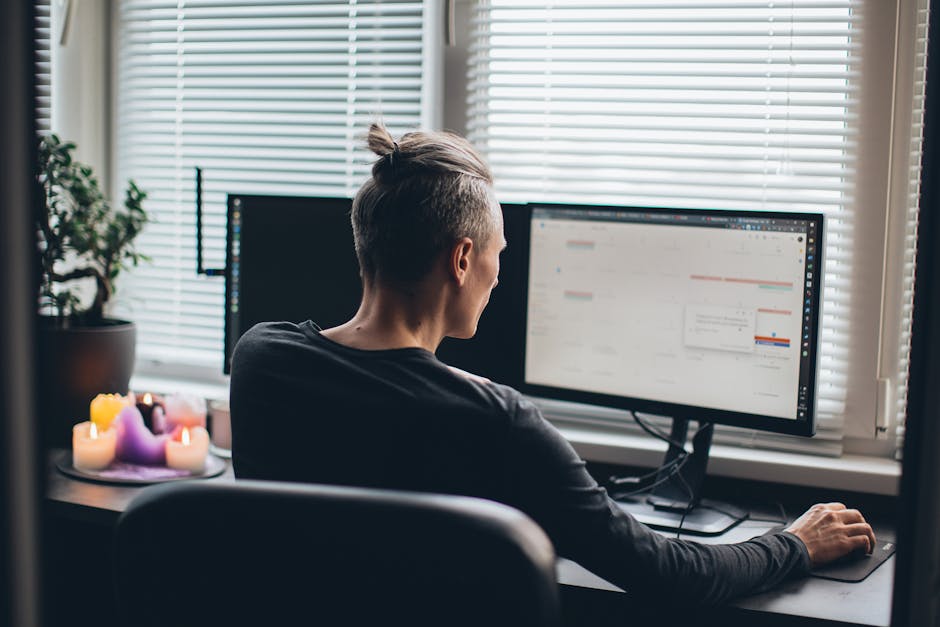

Whether you are a full-time creator, a remote employee, a freelancer, or a side hustler building your next income stream, your home office can either sharpen your focus or quietly drain your energy every single day. An efficient home office is not about buying the most expensive desk or turning your spare room into a Pinterest-worthy studio. It is about designing a workspace that helps you think clearly, work comfortably, and stay productive without burning out.
For creators in particular, your home office does more than hold your laptop. It becomes your brainstorming zone, video call backdrop, editing station, recording booth, and business headquarters. That means your setup needs to support deep work, creative flow, and practical day-to-day operations.
In this guide, you will learn how to set up an efficient home office step by step, from choosing the right location to organizing your desk, improving ergonomics, managing cables, and building routines that actually help you get more done.

1. Start with the Right Space, Not the Perfect Space
The first mistake many people make is waiting for a perfect dedicated office. In reality, an efficient home office can be built in a spare bedroom, a quiet corner of the living room, or even a section of your bedroom if you are intentional about layout and boundaries.
What matters most is choosing a space that supports concentration. If possible, look for an area with:
- Natural light to reduce eye strain and improve mood
- Minimal foot traffic so you are not interrupted constantly
- Enough wall or desk space for your essential tools
- Access to power outlets for your devices and lighting
If you live with family, roommates, or a partner, think about sound and movement. A workspace near the kitchen might seem convenient, but it can become distracting fast. Likewise, working from the couch may feel comfortable at first, but it usually leads to poor posture and lower productivity.
Actionable tip: Before buying anything, spend two or three work sessions in different areas of your home and notice where you feel most focused. The best home office location is often the one where distractions are lowest, not the one with the nicest view.
2. Invest in the Core Furniture That Affects Productivity
You do not need to overspend, but some pieces of furniture have a direct impact on how well you work. If your body is uncomfortable, your focus disappears faster than you think.
Choose a desk that fits your workflow
Your desk should match the kind of work you do. If you mainly use a laptop and notebook, a compact desk may be enough. If you edit video, use dual monitors, or record content, you will need more surface area.
When evaluating a desk, think about:
- Depth for monitor distance and keyboard placement
- Width for your laptop, accessories, and notes
- Stability so it does not wobble during typing or filming
- Storage if you need drawers for equipment or paperwork
Sit-stand desks can be a smart upgrade if you spend long hours at your workstation. They are especially useful for creators who alternate between editing, writing, and calls throughout the day.
Do not treat your chair like an afterthought
A supportive chair is one of the best productivity investments you can make. You do not need the most expensive ergonomic model, but you do need proper lumbar support, adjustable height, and a seat that stays comfortable for long sessions.
Practical example: A YouTube creator who edits for four hours, writes scripts for two more, and joins multiple calls per week will feel the difference between a dining chair and a proper office chair within a few days. Comfort is not luxury here. It is infrastructure.

3. Build an Ergonomic Setup That Protects Your Energy
An efficient home office should help you work longer without feeling physically wrecked. Ergonomics may sound technical, but the basics are simple and worth getting right.
Set your screen at eye level
If you use a laptop all day, you are likely looking downward too much. Over time, that can strain your neck and shoulders. Ideally, the top of your screen should be at or slightly below eye level.
If you use a laptop, pair it with:
- A laptop stand
- An external keyboard
- A wireless or wired mouse
This setup instantly improves posture and makes your workstation feel more like a professional environment.
Position your keyboard and mouse correctly
Your elbows should stay close to your body at about a 90-degree angle, and your wrists should remain neutral instead of bent upward. A keyboard tray is optional, but correct desk height matters.
Keep your feet grounded
Your feet should rest flat on the floor. If they do not, use a footrest or even a sturdy box. Small adjustments like this can reduce lower back tension more than people expect.
Actionable tip: Set a recurring reminder every 45 to 60 minutes to stand, stretch, or walk for two minutes. Even the best ergonomic setup cannot fix eight hours of nonstop sitting.
4. Optimize Lighting for Focus, Meetings, and Content Creation
Lighting affects your mood, alertness, and the way you show up on camera. If you are a creator, coach, or remote professional who spends time on Zoom, Google Meet, or recording short-form videos, lighting deserves more attention than it usually gets.
Use natural light when possible
Position your desk near a window if you can, but avoid placing your screen directly in front of or behind strong sunlight. This can create glare or wash out your video calls.
The sweet spot is often having the window to the side of your desk or slightly in front of you.
Add layered lighting
Natural light is great, but it changes throughout the day. A solid home office usually includes:
- Ambient lighting for general room brightness
- Task lighting such as a desk lamp for focused work
- Optional video lighting like a ring light or key light for creators
Warm lighting can feel cozy, but cooler white light tends to support alertness during working hours. If possible, use adjustable bulbs so you can switch based on time of day and task.
Practical example: If you record talking-head videos or take client calls, a small LED key light placed slightly above eye level can make your face look clearer and more professional instantly, even in a simple room.

5. Reduce Clutter and Create a System for Everything
A messy workspace creates visual noise. Even if you think you can ignore it, clutter competes for your attention. An efficient home office makes it easy to find what you need and easy to reset at the end of the day.
Keep only essentials on your desk
Your desk surface should support your main tasks, not store random items. In most cases, the essentials are:
- Computer or monitor
- Keyboard and mouse
- Notebook or planner
- Water bottle or coffee mug
- One or two frequently used tools, like headphones or a microphone
Everything else should have a designated home in a drawer, shelf, pegboard, or organizer.
Use vertical space wisely
If you are short on square footage, use wall-mounted shelves, hooks, and storage bins. Vertical organization is especially helpful for creators with gear like tripods, cables, lights, and hard drives.
Manage your cables early
Cable clutter can make even a nice setup feel chaotic. Use cable clips, sleeves, or under-desk trays to keep cords controlled. Label chargers if you use multiple devices.
Actionable tip: Create a five-minute shutdown routine at the end of each workday. Put items back, wipe the desk, and reset your tools. Starting tomorrow in a clean workspace makes a bigger difference than most productivity hacks.
6. Set Up the Tech That Makes Work Faster and Smoother
Your tools should reduce friction, not add to it. An efficient home office is not just physically organized. It is also digitally streamlined.
Prioritize reliable internet
If your work depends on video calls, uploads, livestreaming, or cloud tools, your internet connection matters as much as your laptop. Place your desk near your router if possible, or use a mesh system or Ethernet connection for more stability.
For creators uploading large video files, a wired connection can save serious time and frustration.
Use the right monitor setup
One large external monitor can improve workflow significantly, especially for writing, editing, research, and design. Dual monitors can help if you routinely work with multiple windows, such as editing on one screen and notes or timelines on the other.
That said, do not add screens just because it looks productive. More screens only help if they support your actual workflow.
Upgrade your audio quality
If you attend meetings or record content, audio quality matters. A good pair of headphones with a microphone or an external USB mic can dramatically improve calls and recordings.
Practical example: A podcaster or YouTube educator working from home will usually benefit more from a reliable microphone and acoustic treatment than from a more expensive webcam.
Back up your work
An efficient office includes a backup system. Use cloud storage, an external SSD, or both. Losing content, client files, or financial documents because of poor backup habits is a preventable problem.
- Use cloud folders for active files
- Back up finished projects weekly
- Keep important business documents in at least two places

7. Design a Workspace That Supports Deep Work and Creative Flow
Efficiency is not just about furniture and devices. It is also about how your environment shapes your habits. The best home office setups make it easier to start work, stay in the zone, and switch between tasks without chaos.
Create zones for different types of work
If space allows, separate your work activities into mini zones. For example:
- Desk zone: writing, admin, editing, email
- Recording corner: video calls, filming, livestreams
- Reading chair or side table: brainstorming, reviewing notes, strategic thinking
Even in a small room, small distinctions can help your brain shift into the right mode faster.
Control distractions on purpose
Think honestly about what breaks your focus. Is it your phone? Noise? Open tabs? Household interruptions? Fix the biggest distraction first.
Some easy wins include:
- Keeping your phone out of arm’s reach during focus blocks
- Using noise-canceling headphones
- Turning off nonessential notifications
- Using website blockers during writing or editing sessions
Add a few motivating details
Your office should feel functional, but not sterile. A plant, framed print, clean background, or whiteboard can make the space feel more inviting. The goal is to create an environment you actually want to sit down in each day.
Actionable tip: Choose one visual cue that signals work mode, such as turning on a desk lamp, starting a focus playlist, or opening your planning app. This creates a consistent mental trigger for getting started.
8. Build Routines That Keep Your Home Office Efficient Long-Term
Even the best setup will stop feeling efficient if you do not maintain it. A productive home office depends on systems, not just a one-time makeover.
Plan your day before distractions begin
Start with a short daily planning ritual. Write down your top three priorities before opening email or social media. This helps you avoid reacting to other people’s demands all morning.
Use simple weekly resets
Once a week, review your office and workflow. Ask yourself:
- What equipment am I not actually using?
- What keeps ending up on my desk?
- What task feels slower than it should?
- What small change would make next week easier?
This habit helps your office evolve with your needs.
Adjust as your work changes
A creator who starts by writing blog posts may later need room for a camera, microphone, and lighting. A freelancer might add a second monitor once client work increases. Your office should change as your business changes.
Do not lock yourself into a setup that looked good online but no longer serves your workflow. Efficiency comes from adaptation.

Conclusion: The Best Home Office Is the One You Will Actually Use Well
Setting up an efficient home office is less about chasing a perfect aesthetic and more about removing friction from your daily work. When your chair supports you, your desk fits your tasks, your lighting helps you focus, and your tools are easy to access, work becomes smoother and less draining.
For creators and remote professionals, that matters a lot. A thoughtful office setup can improve concentration, reduce fatigue, support better content creation, and help you stay consistent over the long run.
Start simple. Fix the biggest pain point first, whether that is bad posture, poor lighting, clutter, or constant distractions. Small upgrades compound quickly. The more your workspace supports your goals, the easier it becomes to do meaningful work from home.
FAQ: How to Set Up an Efficient Home Office
What is the most important part of a home office setup?
The most important part is having a space that supports focus and comfort. A good chair, a functional desk, and proper screen height usually have the biggest impact on productivity.
How can I set up a home office in a small apartment?
Use a quiet corner, a compact desk, and vertical storage like shelves or wall hooks. Keep only essential tools in the space, and use organizers to prevent clutter from taking over.
What should I buy first for a better home office?
If your current setup causes discomfort, start with an ergonomic chair or a laptop stand with an external keyboard and mouse. If discomfort is not the main issue, improving lighting or reducing clutter can be the next best upgrade.
How do I make my home office more productive?
Reduce distractions, organize your workspace, improve ergonomics, and create daily routines for planning and cleanup. Productivity comes from a combination of environment and habits, not just equipment.

