You are carrying groceries, your phone battery is at 3%, and one child is asking for a snack while the dog is trying to bolt through the front door. In that moment, a smart lock is not a luxury gadget—it is the difference between smooth entry and total chaos. But when you start shopping, one question comes up fast: should you buy a keypad smart lock or a fingerprint smart lock?
Both options promise keyless entry, better front door security, and easier access management than a traditional deadbolt. But they solve different problems. Keypad smart locks are dependable, familiar, and easy for families or guests to use. Fingerprint smart locks add faster access and a more high-tech feel, but sensor quality, weather exposure, and long-term software support matter much more than most buyers expect.
In this guide, we compare keypad vs fingerprint smart locks across security, convenience, compatibility, setup, pricing, and long-term value. We will also look at how they fit into broader smart home automation setups with Alexa, Google Home, and Apple HomeKit. If you are choosing your first connected deadbolt or upgrading an older electronic lock, this breakdown will help you buy the right type instead of just the flashiest one.

Keypad vs Fingerprint Smart Locks: Quick Verdict
If you want the short answer, here it is: keypad smart locks are the better fit for most households, while fingerprint smart locks are best for users who prioritize speed and personal convenience. A keypad is usually more universal because everyone can understand a PIN code, including guests, cleaners, dog walkers, and older family members. Fingerprint locks feel premium and unlock quickly, but they are only as good as the sensor, enrollment process, and weather resistance.
For shared homes, rentals, or frequent guest access, keypad locks win on practicality. For owner-occupied homes where the same few people use the door every day, fingerprint models can feel seamless—especially when paired with app control and auto-lock features.
| Feature | Keypad Smart Lock | Fingerprint Smart Lock |
|---|---|---|
| Primary Access Method | PIN code | Biometric fingerprint |
| Typical Price Range | $120-$280 | $180-$400 |
| Setup Difficulty | Easy to Moderate | Moderate |
| Best For | Families, rentals, guest access | Fast entry, tech-forward households |
| Weather Reliability | Generally strong | Varies by sensor quality |
| Guest Access | Excellent | Good, but usually still needs PIN/app backup |
| Long-Term Simplicity | High | Medium |
| Value Assessment | Best overall value | Best premium convenience |
Compatibility Snapshot
- Alexa: Widely supported by both keypad and fingerprint models, often for lock status, routines, and voice control with PIN protection.
- Google Home: Common on Wi-Fi, Matter, Thread, and Z-Wave connected locks through hubs or native apps.
- Apple HomeKit: More selective; strongest support is found in premium smart locks, especially newer Matter-enabled models.
LSI keywords that matter in this category include keyless entry, connected deadbolt, front door security, smart home automation, and remote access control. You will see those themes appear naturally because they are central to how these locks are actually used.
How Keypad Smart Locks Work—and Why They Stay Popular
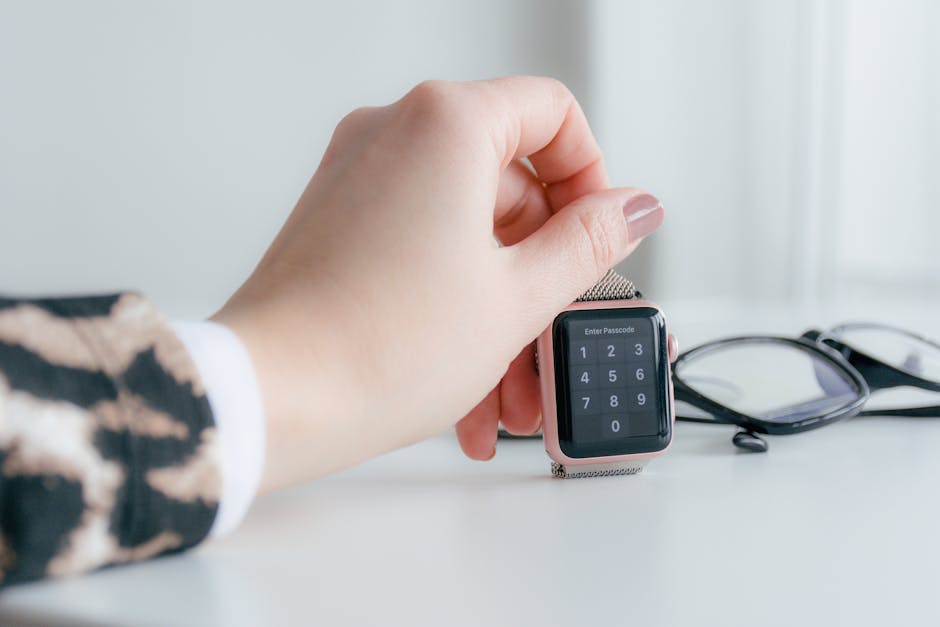
A keypad smart lock lets you unlock the door by entering a PIN on a touchscreen or physical button pad. Most models also include app control, temporary codes, auto-lock timers, and remote access when connected through Wi-Fi or a hub. That combination is exactly why keypad locks remain the safest recommendation for most buyers: they blend modern convenience with a familiar interaction model.
The biggest advantage is flexibility. You can create unique access codes for family members, recurring service providers, or short-term guests. Some locks let you schedule codes by day and time, which is ideal for Airbnb hosts or households with pet sitters. If someone no longer needs access, you just delete the code instead of replacing physical keys.
Keypad locks also tend to handle real-world usage better. Wet fingers, gloves, worn fingerprints, bright sunlight, and cold weather usually do not stop a keypad from working. That matters more than spec sheets suggest. In everyday life, reliability beats novelty.
Another plus is broader product maturity. Brands like Yale, Schlage, Aqara, Ultraloq, and Lockly have spent years refining keypad locks. Their apps are often more polished, firmware updates tend to be steadier, and customer support documentation is easier to find. Long-term support matters because a smart lock is not like a smart bulb—you expect it to work for years on your main entry door.
Typical Keypad Smart Lock Ratings
- Ease of Setup: 4.5/5
- App Quality: 4/5
- Ecosystem Compatibility: 4.5/5
- Value: 4.5/5
Setup Difficulty: Easy to Moderate. Most retrofit or deadbolt replacement installs take 20 to 45 minutes with a screwdriver. If Wi-Fi requires a bridge or Matter setup, expect slightly more effort.
Best for: Busy households, vacation rentals, elderly family members, and anyone who wants dependable guest access without teaching people how to use biometric enrollment.

How Fingerprint Smart Locks Work—and Where They Shine
Fingerprint smart locks use a biometric sensor to identify an enrolled fingerprint and unlock the door in one touch. On paper, this is the most elegant version of keyless entry. There is no key to lose, no code to remember, and no phone required. For homeowners who enter through the same door every day, it can feel almost invisible in the best way.
Fingerprint access is especially appealing when your hands are full or when you do not want children sharing a code with half the neighborhood. It can also reduce the friction of daily use since unlocking is often faster than punching in a PIN. Premium models may combine fingerprint access with a keypad, app unlock, NFC, or even Apple Home Key, giving you several fallback methods.
But here is the catch: not all fingerprint locks are equally good. The experience depends heavily on the sensor quality, fingerprint enrollment process, and the lock’s ability to recognize fingers in less-than-perfect conditions. Dry skin, dirt, rain, cold temperatures, and aging sensors can all affect reliability. That does not make fingerprint locks bad; it just means they are more sensitive to execution.
Firmware support is also a bigger issue in this category. Because biometric features rely more on software tuning, regular updates are important. The best brands release firmware improvements several times per year, especially in the first 12 to 24 months. Bargain biometric locks may look impressive online but receive infrequent updates, weaker app support, and limited ecosystem integration after launch.
Typical Fingerprint Smart Lock Ratings
- Ease of Setup: 3.5/5
- App Quality: 3.5/5 to 4.5/5 depending on brand
- Ecosystem Compatibility: 3.5/5
- Value: 3.5/5 for budget models, 4/5 for premium models
Setup Difficulty: Moderate. Hardware installation is similar to keypad locks, but enrolling multiple fingerprints and fine-tuning app permissions takes longer.
Best for: Owner-occupied homes, tech enthusiasts, and premium smart home buyers who want the fastest possible door entry.

Head-to-Head Comparison: Security, Convenience, and Smart Home Fit
Security is the first thing buyers ask about, but it helps to separate digital convenience from physical lock quality. A weak deadbolt with a great app is still a weak deadbolt. Look for ANSI/BHMA ratings where available, strong build materials, anti-peep keypad support, two-factor app authentication, and encrypted communication standards.
From a pure access-control standpoint, keypad locks are easier to manage across multiple users. You can assign unique codes, monitor entry logs, and revoke access instantly. Fingerprint locks are more personal and harder to share casually, which can be a benefit for owner use but less convenient for rotating visitors.
In terms of convenience, fingerprint unlock usually wins for the primary homeowner. In terms of household usability, keypad unlock wins almost every time. That is why the best overall smart locks increasingly combine both.
| Comparison Area | Winner | Why It Matters |
|---|---|---|
| Guest Access | Keypad | PIN codes are easy to create, share, and revoke |
| Fast Daily Entry | Fingerprint | One-touch entry is quicker than typing a code |
| Weather Tolerance | Keypad | Less affected by wet or dirty fingers |
| Rental/Airbnb Use | Keypad | Scheduled passcodes are ideal for turnover |
| Premium Feel | Fingerprint | Biometric access feels cutting-edge |
| Family Simplicity | Keypad | Easier for kids, guests, and less technical users |
| Backup Access Options | Tie | Best locks in both categories include app/key backup |
Ecosystem Integration: Alexa, Google, and HomeKit
Before buying, check exactly how the lock connects. Some use Bluetooth only, some use built-in Wi-Fi, and others rely on Z-Wave, Zigbee, Thread, or Matter. That affects not only remote access but also battery life and automation options.
- Alexa: Great for routines like turning on entry lights when unlocked, though voice unlocking is usually restricted or PIN-protected.
- Google Home: Strong for status checks, routines, and broader smart home automation with cameras, lights, and door sensors.
- Apple HomeKit: Excellent for privacy-conscious users and tight iPhone integration, but fewer lock models support it well.
If you use SmartThings, Hubitat, or Home Assistant, also confirm whether the lock exposes local control, battery reporting, and event history. Advanced users often prefer Z-Wave or Matter over always-on Wi-Fi for stability and battery efficiency.
Okay, this one might surprise you.

Best Smart Lock Buying Guide: Budget, Mid-Range, and Premium
The best type of smart lock often depends on your budget tier more than your preferred unlock method.
Budget Tier: $100-$180
At this level, keypad smart locks are usually the smarter buy. You get dependable code entry, basic app features, auto-lock, and decent battery life. Fingerprint locks in this range can be tempting, but sensor performance and firmware support are more inconsistent.
Best value: Keypad smart lock
Who it suits: First-time buyers, apartment dwellers, side doors, and rental property owners
Subscription costs: Usually none, though some brands charge for video storage or enhanced monitoring if paired with cameras
Mid-Range Tier: $180-$280
This is where the market gets interesting. You start seeing stronger apps, better industrial design, improved battery efficiency, and broader compatibility with Alexa, Google Assistant, or HomeKit. If you want fingerprint access, this is the minimum range where it becomes worth serious consideration.
Best value: Hybrid locks with both keypad and fingerprint access
Who it suits: Most homeowners, families, and users building a real connected deadbolt into a larger smart home ecosystem
Premium Tier: $280-$400+
Premium smart locks deliver the best mix of materials, software support, and ecosystem integration. This is where fingerprint smart locks make the strongest case because the sensors are better, apps are more polished, and long-term firmware updates are more likely.
Best value: Premium hybrid or HomeKit/Matter-compatible lock with multiple entry methods
Who it suits: Smart home enthusiasts, Apple households, and buyers prioritizing design, long-term support, and advanced automation
Common Installation Tips and Mistakes to Avoid
- Check door alignment before installation. A misaligned strike plate causes more “smart lock problems” than bad software.
- Measure backset, thickness, and deadbolt compatibility before ordering.
- Do not rely on Bluetooth-only if you want remote access control while away from home.
- Enroll fingerprints carefully, using multiple angles for each finger.
- Keep physical key backup or alternative access enabled, especially during battery failure.
- Update firmware immediately after setup, then recheck automation behavior.
Which One Should You Buy in 2025?
For most readers, the answer is simple: buy a keypad smart lock if you want the safest all-around recommendation. It offers the best mix of convenience, broad usability, lower price, and fewer real-world headaches. It is easier to recommend to families, guests, rental hosts, and anyone who values reliability over novelty.
Buy a fingerprint smart lock if speed and owner convenience matter most and you are willing to spend more for a better sensor and stronger software support. Do not cheap out in this category. A bad fingerprint lock is much more frustrating than a basic keypad lock.
If your budget allows it, the sweet spot in 2025 is actually a hybrid smart lock that includes both a keypad and fingerprint reader, plus app control and at least one solid ecosystem option such as Matter, Alexa, Google Home, or HomeKit. That gives you flexibility for daily use, guest access, and backup entry without locking yourself into one method.
Here is the cleanest recommendation by use case:
- Best for families: Keypad smart lock
- Best for rentals and guest turnover: Keypad smart lock
- Best for tech lovers: Fingerprint or hybrid smart lock
- Best for Apple homes: Premium lock with HomeKit or Matter support
- Best for overall value: Mid-range keypad or hybrid model
The smartest purchase is not the one with the longest feature list. It is the one that works every day, for every person who needs to get through your front door. In that test, keypad locks still lead. But premium fingerprint locks are closing the gap fast—and for the right household, they can absolutely be worth it.
If you are shopping right now, prioritize build quality, software reputation, compatibility with your preferred ecosystem, and firmware update history over flashy marketing claims. That is what separates a great smart lock from an expensive annoyance.

