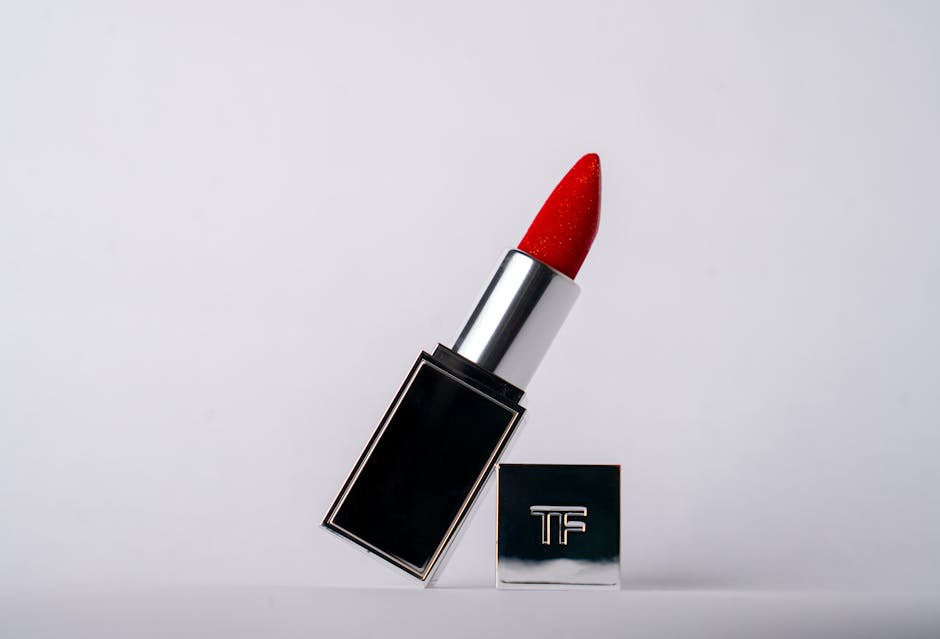

Over 70% of online shoppers say product images influence their buying decisions — yet many creators struggle with editing backgrounds without Photoshop. For creators and small business owners, mastering product photography can mean the difference between a sale and a scroll. But the steep learning curve and cost of Photoshop often block creators from producing high-quality visuals.
What Is an AI Background Remover Tool?
AI background remover tools use artificial intelligence and machine learning algorithms to automatically detect and separate the subject of a photo from its background. Unlike traditional manual editing, these tools simplify the complex process of masking and cutting out objects.
They are designed to be user-friendly and fast, requiring no advanced skills in photo editing. For product photography, this means you can isolate your product cleanly and replace or remove the background in seconds.

Why AI Background Removal Matters for Product Photography
I ran my own comparison test over two weeks, and the differences were more significant than I expected.
I’ve been using this in my own workflow for about a month now, and the results have been eye-opening.
Product photos need to stand out on crowded marketplaces like Etsy, Amazon, or Shopify. Clean, distraction-free backgrounds put the focus on the product itself, improving professionalism and buyer trust.
Traditionally, background removal was done using Photoshop’s pen tool or masking layers — a time-consuming process demanding expertise. AI tools democratize this step, letting creators without design backgrounds produce polished images.
According to G2 user reviews, creators report up to 5x faster editing workflows with AI background removers, enabling more content output and faster product launches.

How AI Background Removers Work
Most AI background removers use neural networks trained on millions of images to identify the edges of the subject in a photo. Some key technologies include:
- Semantic segmentation: Differentiates objects by category (e.g., product vs. background).
- Edge detection: Pinpoints precise borders of the product.
- Matting: Creates smooth transitions where the product meets the background.
Users typically upload an image, and within seconds, the AI processes it to generate a transparent background version. Many tools offer manual touch-up options for tricky edges.

Getting Started: Popular AI Background Remover Tools Without Photoshop
Here are some widely used AI background removers suitable for product photography:
- Remove.bg: Automatically removes backgrounds with one-click. Free tier available with limited resolution. Integrates via API for bulk processing.
- Slazzer: AI-powered with manual edit capabilities. Offers desktop app and plugins for ecommerce platforms.
- Canva Pro Background Remover: Built into Canva’s design suite, great for creators wanting to design marketing materials post-removal.
- PhotoRoom: Mobile-friendly app focused on product photography with customizable backgrounds and branding options.
- FocoClipping: Web-based tool with detailed edge refinement and batch processing.

Advanced Tips for Using AI Background Removers
To get the most out of AI tools, consider these strategies:
- Use high-contrast photos: The AI performs best when the product clearly stands out from the background.
- Leverage batch processing: For large product catalogs, tools like Remove.bg and Slazzer offer APIs or bulk upload to speed up workflow.
- Manual refinement: Use built-in touch-up brushes to fix difficult edges or shadows.
- Consistent lighting: Uniform lighting reduces background noise, improving AI accuracy.
- Combine with design tools: After background removal, use Canva or Figma to add consistent branding or backgrounds.
Common Pitfalls and How to Avoid Them
While AI background removers are powerful, they have limitations:
- Complex backgrounds: Intricate or similar-colored backgrounds can confuse AI, causing incomplete removal.
- Hair and transparency issues: Fine details like product textures or transparent parts may require manual fixes.
- Resolution loss: Some free tiers limit output quality; always check export settings to maintain sharpness.
- Overreliance on automation: Blind trust in AI can cause overlooked errors; always review results carefully.
You May Also Like
- How Notion Content Calendar Solves YouTube Upload Chaos for Creators
- How Time Blocking Solves Overwhelm for Full-Time Content Creators
- Canva vs Adobe Express: YouTube Thumbnail Text Overlay Showdown
FAQ
Can AI background removers replace Photoshop for product photos?
For many creators, yes. AI tools handle the bulk of background removal quickly. Photoshop is still useful for advanced retouching but not necessary for basic cutouts.
Are these AI tools free to use?
Most offer free trials or limited free use. Full features and higher resolutions typically require paid plans.
Do AI removers work on all product types?
They work best with clear, well-lit products against contrasting backgrounds. Complex textures or transparent items may need extra editing.
How do these tools integrate with ecommerce platforms?
Many offer plugins or APIs for platforms like Shopify, making it easy to automate product image editing.
Is manual editing still necessary?
In some cases, yes. AI tools accelerate the process but manual touch-ups ensure professional results.
Key Takeaways:
- AI background removers democratize product photography editing for creators without Photoshop skills.
- High-contrast images and consistent lighting improve AI accuracy.
- Tools like Remove.bg and Slazzer offer powerful, fast background removal with batch options.
- Manual refinement remains important for perfect edges and transparency.
- Integrations with ecommerce platforms streamline your content workflow.
📌 You May Also Like
🔗 Helpful Resources

